Author Archives: alesk
How to convert dynamic disk to basic
Here is a short memo of how you can convert dynamic disk to basic from command line:
cmd> diskpart

DISKPART> list disk

DISKPART> select disk 0

DISKPART> detail disk

-- ------------------------------------------
-- note volume numbers on selected disk
-- and then delete all volumes from the disk
-- ------------------------------------------

DISKPART> select volume 3
DISKPART> delete volume

DISKPART> select volume 4
DISKPART> delete volume

...
...

DISKPART> select volume 5  <-- last volume on disk 0
DISKPART> delete volume

-- ------------------------------------------
-- now, you can convert dynamic disk to basic
-- ------------------------------------------

DISKPART> select disk 0
DISKPART> convert basic
Chris Date in Ljubljana
Let me start this note with a small confession. There are technical books on my book shelve that I read (some of them twice) and/or refer to almost on a daily basis. There is also a (growing) stack of unread books that is likely to be read in the near future (right now, Pro Oracle SQL and Python Algorithms being on the top of the stack), but there is also a book, that will never be read from cover to cover. Title of this book is “An Introduction to Database Systems, 8 edition” by C. J. Date. Hat off to any and every one of you who read this book from cover to cover. Moreover, if you was enjoying reading it and you’re looking for a job in Slovenia, please, drop me a line.
Now, that I relieved my soul, I would like to invite you to attend Chris’s Date two day seminar that will take place in Ljubljana on 23-24 May 2011. Seminar is more than reasonably priced (394€ for early bird registration for non-SIOUG members) and it’s something you should not miss — and please, bring a copy of the book, I’m sure Mr. Date will not object signing it, no matter how worn it is (hmm…I think I have an idea how my copy of the book can get a worn look in a short period of time — I believe I found a new toy for my baby girl ;-).
Windows bundle patch – regression tested from 10.2.0.4 onwards
I just finished reading “preamble” from MOS note “161549.1 1Oracle Database Server and Networking Patches for Microsoft Platform”, specifically:
Quote:
Patch sets increment the 4th digit of the version number e.g. 10.2.0.1.0 to 10.2.0.4.0, these patch sets are fully regression tested in the same way that the base release is (i.e. 10.2.0.1.0). Customers are encouraged to apply these fixes.
and further…
Quote:
From 10.2.0.4 onwards each Windows bundled patch goes through full regression testing because it includes a large number of dependent fixes, CPU, DST and PSU. Oracle recommends all customers apply the latest bundle as soon as it is convenient irrespective of encountering a specific problem resolved by the bundle.
…which I found reassuring and amusing at the same time.
ASRock mini – Part 5.
Here are my notes about setting up python programming environment on my ASRock mini running Ubuntu 10.04 (32-bit), covering the latest and greatest Python 3.2, plus some third party libraries that I need for my work.
Fifth note in this series will cover:
- how to install python 3.2.0 (32-bit) from source in alternate location
- how to install cx_Oracle 5.0.4 from source
- how to install PyYAML 3.09 from source
- how to install lxml 2.3 from source
- how to install PyQt 4.8.3 from source
PYTHON 3.2
Soon after my first failed attempt to compile python 3.2 on my Ubuntu 10.04 workstation, I realized that tk-dev package was missing on my system, causing IDLE to report the error:
IDLE can’t import Tkinter. Your Python may not be configured for Tk.
$ sudo apt-get install tk-dev
Then I proceeded with the python build:
$ mkdir python

$ cd python

$ mkdir python32

$ cd python32

$ wget http://www.python.org/ftp/python/3.2/Python-3.2.tgz

$ tar xvzf Python-3.2.tgz

$ cd Python-3.2

$ ./configure --prefix=/opt/python3.2

$ make

$ sudo make install

$ sudo ln -s /opt/python3.2/bin/python3.2 /usr/bin/python32

$ sudo ln -s /opt/python3.2/bin/idle3.2 /usr/bin/idle-python3.2
Now you can create launcher on your desktop that’ll point to /usr/bin/idle-python3.2.
THIRD PARTY LIBRARIES
cx_Oracle 5.0.4
Note! I’m using “full” Oracle 11g R2 client, not an instant client! For instant client refer to the BUILD document that ships with cx_Oracle library.
-- Download tar with the source from http://cx-oracle.sourceforge.net/

-- to ~/python/cx_Oracle, then proceed:

$ export ORACLE_HOME=/oracle/ora11

$ export LD_LIBRARY_PATH=/oracle/ora11/lib

$ cd ~/python/cx_Oracle

$ tar xvzf cx_Oracle-5.0.4.tar.gz

$ cd cx_Oracle-5.0.4

$ python32 setup.py build

$ sudo su - root

# export ORACLE_HOME=/oracle/ora11

# export LD_LIBRARY_PATH=/oracle/ora11/lib

# cd /home/alesk/python/cx_Oracle/cx_Oracle-5.0.4

# python32 setup.py install

# exit
Notice how I “sudo su – root” to root and set ORACLE_HOME and LD_LIBRARY_PATH variables, otherwise install will fail if you simply “sudo python32 setup.py install”, since root (usually) doesn’t have profile with environment variables related to Oracle installation.
Make a short test:
$ python32
Python 3.2 (r32:88445, Mar 16 2011, 19:42:11)
[GCC 4.4.3] on linux2
Type "help", "copyright", "credits" or "license" for more information.
>>> import cx_Oracle
>>> print(cx_Oracle.version)
5.0.4
>>> print(cx_Oracle.clientversion())
(11, 2, 0, 2, 0)
PyYAML 3.09
$ cd ~/python/PyYAML

$ wget http://pyyaml.org/download/pyyaml/PyYAML-3.09.tar.gz

$ tar xvzf PyYAML-3.09.tar.gz

$ cd PyYAML-3.09

$ sudo python32 setup.py install

--

-- test PyYAML installation...

--

$ python32 setup.py test
lxml 2.3
Module lxml depends on libxml2 and libxslt libraries that could be installed from apt repository, but after reading what are the recommended versions of libraries in lxml documentation, I decided to install the latest versions ob both libraries from source.
$ cd ~/python/lxml

$ wget ftp://xmlsoft.org/libxml2/libxml2-2.7.8.tar.gz

$ wget ftp://xmlsoft.org/libxml2/libxslt-1.1.26.tar.gz

$ wget http://pypi.python.org/packages/source/l/lxml/lxml-2.3.tar.gz
$ tar xvzf libxml2-2.7.8.tar.gz

$ cd libxml2-2.7.8

$ ./configure

$ make

$ sudo make install
$ cd ..

$ tar xvzf libxslt-1.1.26.tar.gz

$ cd libxslt-1.1.26

$ ./configure

$ make

$ sudo make install
Finally, we can install lxml:
$ tar xvzf lxml-2.3.tar.gz

$ cd lxml-2.3

$ python32 setup.py build

$ sudo python32 setup.py install
After installation run a test by printing versions of lxml, libxml2 and libxslt:
$ python32
>> from lxml import etree
>> print(etree.LXML_VERSION)
>> print(etree.LIBXML_VERSION)
>> print(etree.LIBXSLT_VERSION)
PyQt 4.8.3
I followed instructions that you can find at:
http://www.riverbankcomputing.co.uk/static/Docs/PyQt4/html/installation.html
Note:
After my first failed attempt to compile PyQt, I realized that I need to install libxext-dev to avoid error:
...

...

/usr/bin/ld: cannot find -lXext

collect2: ld returned 1 exit status

make[1]: *** [QtHelp.so] Error 1

make[1]: Leaving directory `/home/alesk/python/PyQt/PyQt-x11-gpl-4.8.3/QtHelp'

make: *** [all] Error 2

...
You can install the package with:
$ sudo apt-get install libxext-dev
Note: sip module is a prerequisite before we can configure & build PyQt!
$ cd PyQt

$ wget http://www.riverbankcomputing.com/static/Downloads/sip4/sip-4.12.1.tar.gz

$ cd sip-4.12.1

$ python32 configure.py

$ make

$ sudo make install

$ cd ..
Now, we can download, build and install PyQt:
$ wget http://www.riverbankcomputing.com/static/Downloads/PyQt4/PyQt-x11-gpl-4.8.3.tar.gz

$ tar xvzf PyQt-x11-gpl-4.8.3.tar.gz

$ cd PyQt-x11-gpl-4.8.3

$ python32 configure.py
Do you accept the terms of the license? yes
$ make
$ sudo make install
Make s simple test of PyQt installation…
$ python32
>> from PyQt4.QtCore import QT_VERSION_STR
>> print(QT_VERSION_STR)
VirtualBox replacement for VMWare Server 2.0.2
As you might know, end of general support for VMWare Server 2.0 is in front of us; I knew for the best part of the year 2010 that I’ll have to replace VMWare Server with some equivalent (or better) hosting virtualization product. Finally, I decided to replace VMWare Server with VirtualBox. More or less because the VirtualBox is under vivid development, with frequent and stable releases and as of today, there is not a sign from Oracle that VirtualBox could end like a VMWare server. What I’ll miss the most is VMWare Server web admin console – I know some folks hated the web interface (Remote Console), I for one, found it outstanding. It’s pity that VMWare put an end to this product line.
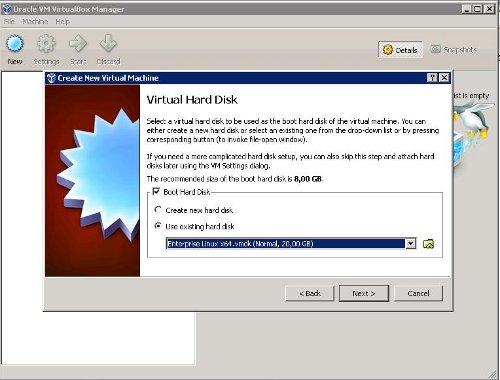
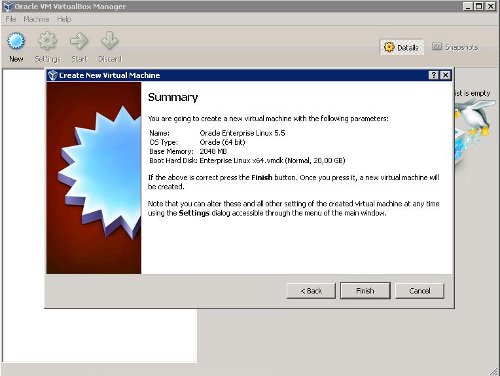
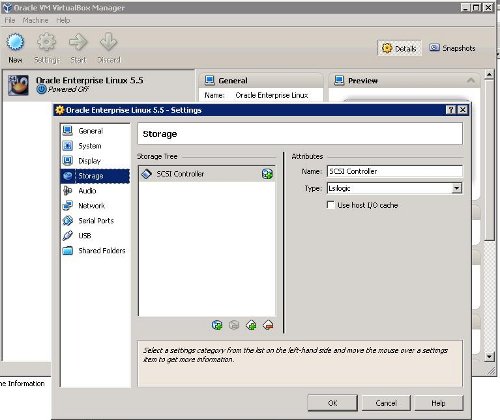
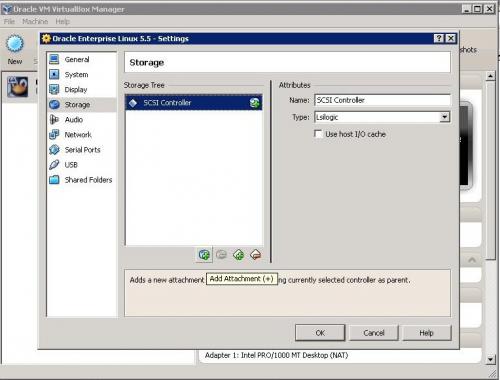
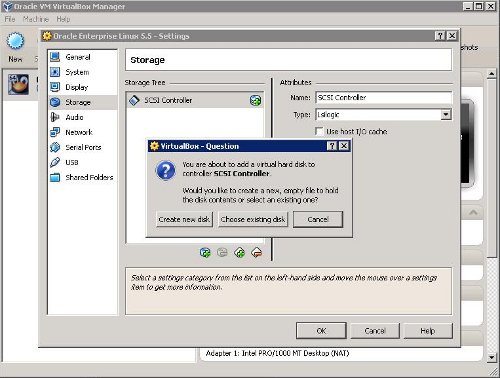
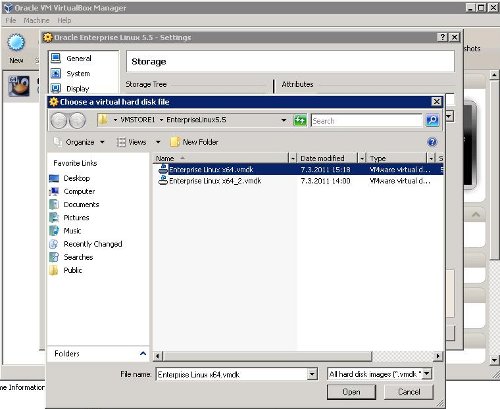
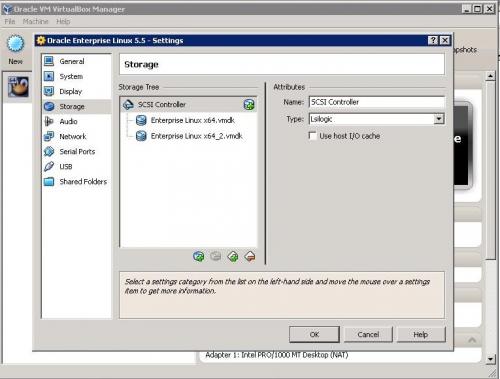
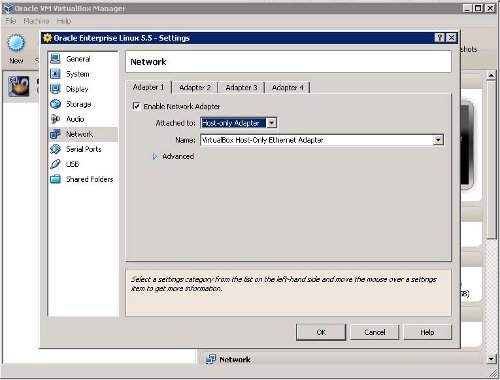
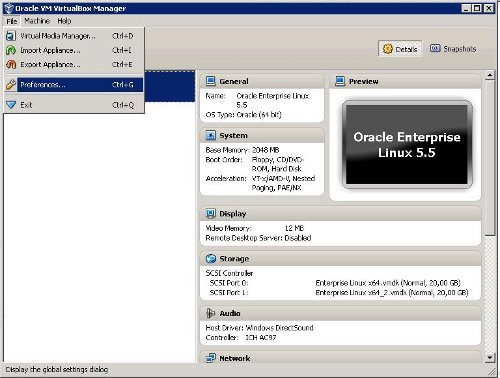
Anyway, I found some articles on the web describing how to migrate from VMWare to VirtualBox. I managed to migrate Oracle Enterprise Linux VM’s following instructions from Karl Arao’s blog. For Windows VM’s I decided to do a clean install instead of tweaking Windows OS and repairing installation.
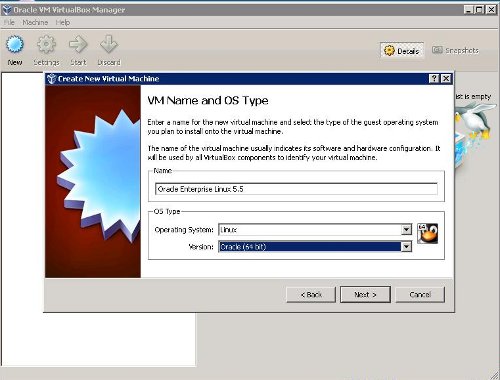
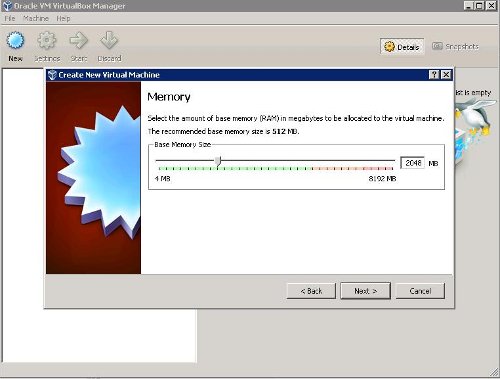
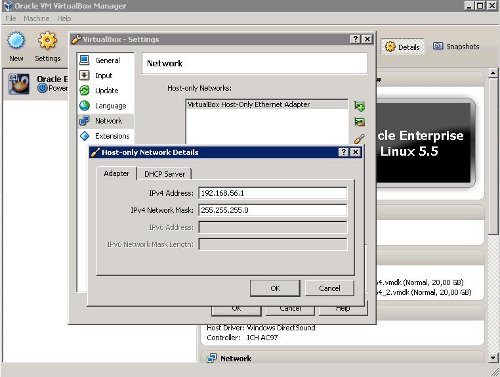
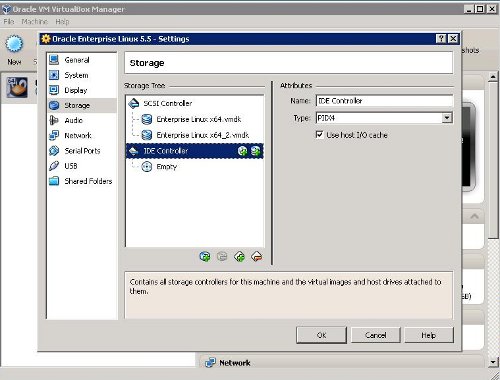
If time permits I’ll post my own screenshots that I took while migrating Oracle Ent. Linux 5.5 from VMWare Server to VirtualBox.
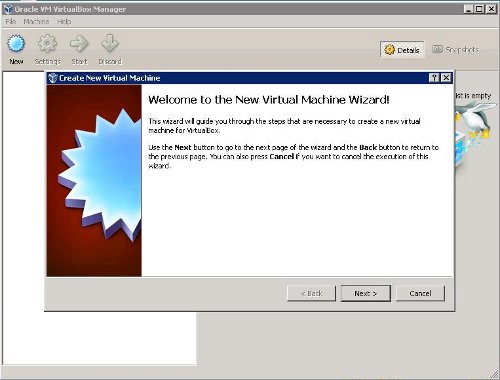
Create new VirtualBox VM that you’ll use to start VM from VMWare Server VMDK files:

 dbaportal.eu
You must be logged in to post a comment.