Author Archives: alesk
Sudoers on Oracle Enterprise Linux
— Sticky note on how to allow OEL admins (dba’s?) to execute any command with sudo
$ su -

# visudo
At the end of file add the following:
## Allow users in group admin to run all commands

%admin      ALL=(ALL)      ALL
Add new group (admin) or use dba group if you want dba’s to have full access of the system:
# groupadd admin

# usermod -a -G admin alesk
Verify group membership for user:
# id alesk
Test sudo privilege, for example gain root shell:
$ sudo -s
Installing OracleXE 11.2 beta on OEL 6.1
[root@OEL6 Downloads]# uname -r
2.6.32-100.34.1.el6uek.x86_64
After I downloaded and unzipped OracleXE 11.2 Beta, I run:
[root@OEL6 Downloads]# rpm -Uvh oracle-xe-11.2.0-0.5.x86_64.rpm
Preparing...                ########################################### [100%]
error: "net.bridge.bridge-nf-call-ip6tables" is an unknown key
error: "net.bridge.bridge-nf-call-iptables" is an unknown key
error: "net.bridge.bridge-nf-call-arptables" is an unknown key
error: %pre(oracle-xe-11.2.0-0.5.x86_64) scriptlet failed, exit status 255
error:   install: %pre scriptlet failed (2), skipping oracle-xe-11.2.0-0.5
Google helped me find a simple workaround, if you run the same command again it’ll install OracleXE without error:
[root@OEL6 Downloads]# rpm -Uvh oracle-xe-11.2.0-0.5.x86_64.rpm
Preparing...                ########################################### [100%]
   1:oracle-xe              ########################################### [100%]
Executing post-install steps...
You must run '/etc/init.d/oracle-xe configure' as the root user to configure the database.
How to get SID with PowerShell
Here is simple example of how to retrieve local NT account (user or group) SID with powershell:
PS E:\TEST> $objUser = New-Object System.Security.Principal.NTAccount("alesk")
PS E:\TEST> $strSID = $objUser.Translate([System.Security.Principal.SecurityIdentifier])
PS E:\TEST> $strSID.Value
S-1-5-21-1384281309-654973799-88281384-1000
To retrieve SID of domain user:
PS E:\TEST> $objUser = New-Object System.Security.Principal.NTAccount("acmedomain\alesk")
or
PS E:\TEST> $objUser = New-Object System.Security.Principal.NTAccount("acmedomain","alesk")

PS E:\TEST> $strSID = $objUser.Translate([System.Security.Principal.SecurityIdentifier])
PS E:\TEST> $strSID.Value
S-1-5-21-2377153150-1065022559-2428809875-3485
I found this tip among tips published on MS Technet Windows PowerShell tips.
ASRock mini – Part 6
One annoying problem that I got from time to time was NVIDIA driver not being able to initialize graphic card immediately after the start of X Server. The workaround that I used was to simply check radio button “Restart X” offered by X Server and I was back in the game. Tonight was the night to fix this annoyance once for all. First, I opened “System Log Viewer” and checked X.org5.log and found this piece of information:
(**) NVIDIA(0): Depth 24, (--) framebuffer bpp 32
(==) NVIDIA(0): RGB weight 888
(==) NVIDIA(0): Default visual is TrueColor
(==) NVIDIA(0): Using gamma correction (1.0, 1.0, 1.0)
(**) May 16 20:10:05 NVIDIA(0): Enabling RENDER acceleration
(II) May 16 20:10:05 NVIDIA(0): Support for GLX with the Damage and Composite X extensions is
(II) May 16 20:10:05 NVIDIA(0):     enabled.
(EE) May 16 20:10:05 NVIDIA(0): Failed to initialize the NVIDIA graphics device PCI:1:0:0.
(EE) May 16 20:10:05 NVIDIA(0):     Please check your system's kernel log for additional error
(EE) May 16 20:10:05 NVIDIA(0):     messages and refer to Chapter 8: Common Problems in the
(EE) May 16 20:10:05 NVIDIA(0):     README for additional information.
(EE) May 16 20:10:05 NVIDIA(0): Failed to initialize the NVIDIA graphics device!
Next, I checked kern.log and found this interesting piece of the error stack:
May 16 20:10:03 ASROCK kernel: [   21.674176] vmap allocation for size 16781312 failed: use vmalloc=<size> to increase size.
May 16 20:10:03 ASROCK kernel: [   21.675430] NVRM: RmInitAdapter failed! (0x26:0xffffffff:1076)
May 16 20:10:03 ASROCK kernel: [   21.675453] NVRM: rm_init_adapter(0) failed
May 16 20:10:04 ASROCK kernel: [   22.004608] vmap allocation for size 16781312 failed: use vmalloc=<size> to increase size.
May 16 20:10:04 ASROCK kernel: [   22.005910] NVRM: RmInitAdapter failed! (0x26:0xffffffff:1076)
May 16 20:10:04 ASROCK kernel: [   22.005934] NVRM: rm_init_adapter(0) failed
May 16 20:10:04 ASROCK kernel: [   22.343136] vmap allocation for size 16781312 failed: use vmalloc=<size> to increase size.
May 16 20:10:04 ASROCK kernel: [   22.344431] NVRM: RmInitAdapter failed! (0x26:0xffffffff:1076)
May 16 20:10:04 ASROCK kernel: [   22.344454] NVRM: rm_init_adapter(0) failed
May 16 20:10:04 ASROCK kernel: [   22.668109] vmap allocation for size 16781312 failed: use vmalloc=<size> to increase size.
May 16 20:10:04 ASROCK kernel: [   22.669346] NVRM: RmInitAdapter failed! (0x26:0xffffffff:1076)
May 16 20:10:04 ASROCK kernel: [   22.669368] NVRM: rm_init_adapter(0) failed
May 16 20:10:05 ASROCK kernel: [   22.991828] vmap allocation for size 16781312 failed: use vmalloc=<size> to increase size.
May 16 20:10:05 ASROCK kernel: [   22.993177] NVRM: RmInitAdapter failed! (0x26:0xffffffff:1076)
May 16 20:10:05 ASROCK kernel: [   22.993199] NVRM: rm_init_adapter(0) failed
I fixed the problem by adding vmalloc=256M to grub boot loader:
$ sudo nano /etc/default/grub

then I changed:

GRUB_CMDLINE_LINUX_DEFAULT="quiet splash"

to:

GRUB_CMDLINE_LINUX_DEFAULT="quiet splash vmalloc=256M"

and

$ sudo update-grub
So far so good, I could not reproduce the error by rebooting machine. Here is my Vmalloc after I added vmalloc boot option:
$ cat /proc/meminfo | grep Vmalloc
VmallocTotal:     262144 kB
VmallocUsed:       77512 kB
VmallocChunk:     166908 kB
Oracle HTTP Server 11g
While preparing a “reference” Oracle server for my client I decided that I would try to replace Oracle HTTP Server that was once shipped on “Oracle10g Companion Disk”, with Oracle HTTP version 11g (for Windows x64).
In the expected spirit of “viva la bloatware”, I submitted to the said fact that Oracle HTTP server 10g with “mere” 435MB in Oracle Home, will now take 1.9GB. Oracle never fails to disappoint me with their “engineering” abilities.
Make a little experiment: compare 1.14 GB installation “media” from Oracle with mere 6.2 MB MSI installer from Apache website and try not to cry at the same time. And please don’t give me standard BS: “you’re comparing apples to oranges”….no, no, no, I’m actually comparing apples to melons ;-). Enough said, back to technicalities….
Steps that I followed installing OracleHTTP 11.1.1.2.0 on Windows Server 2008 R2-SP1:
1) downloaded Oracle Fusion Middleware Web Tier Utilities 11g (11.1.1.2.0) for Microsoft Windows (x64) from OTN
At the time of this writing the description of “OFM Web Tier Utilities” looks like this:

2) Unzip archive in some temporary directory and start installer from Disk1
3) Installation is as usual guided by OUI:
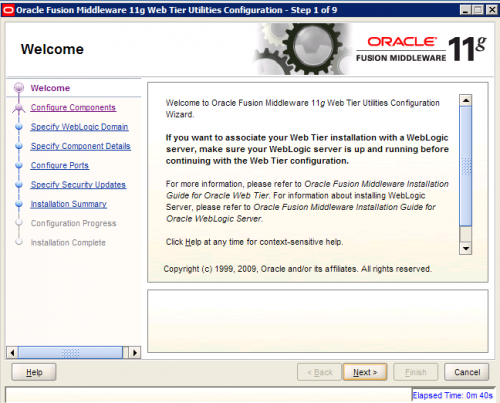
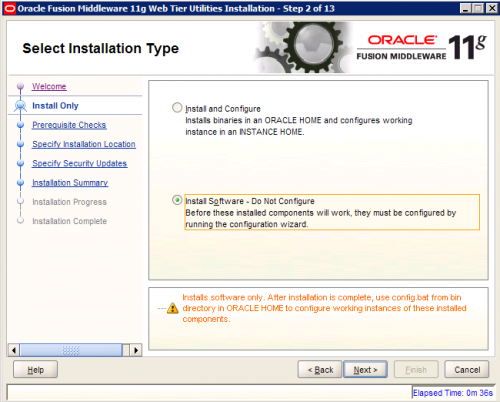
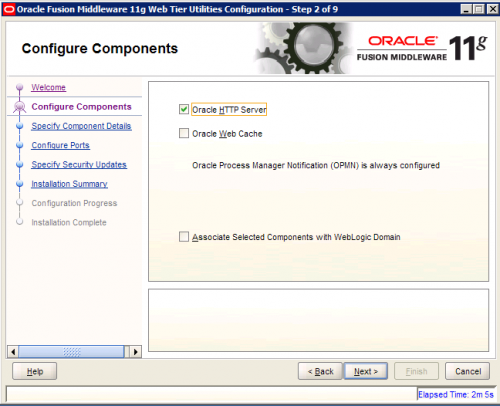
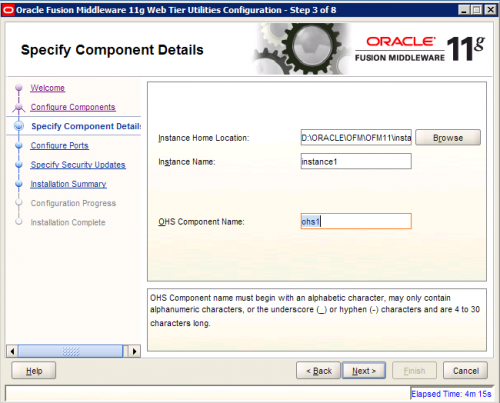
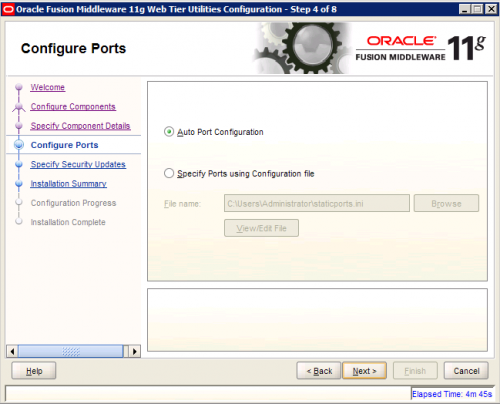
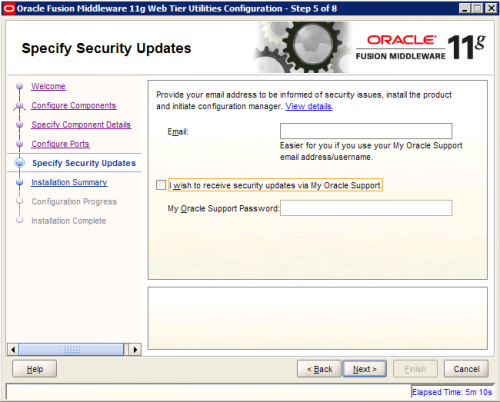
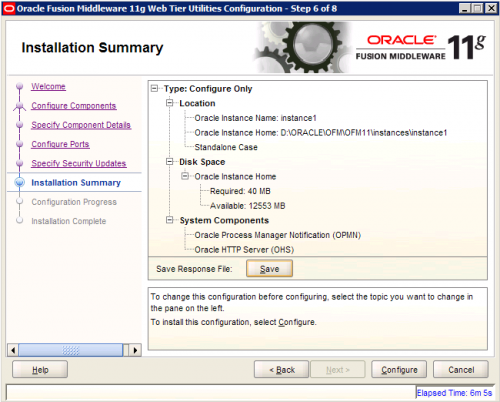
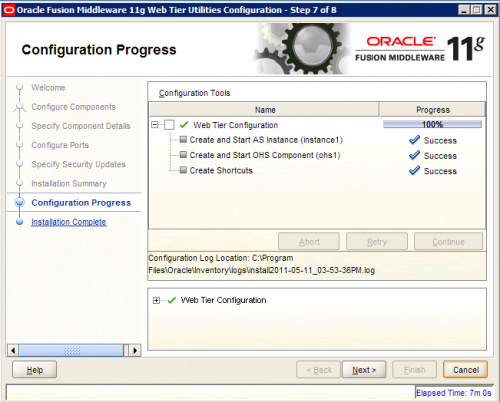
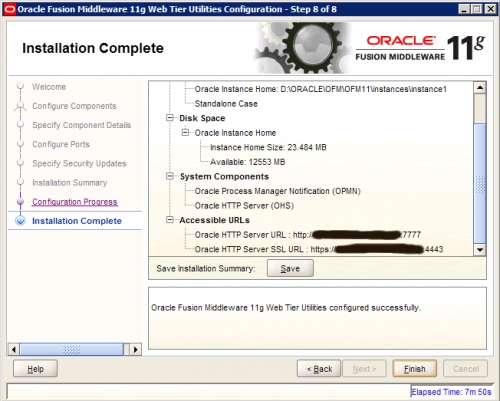
4) Configuration Web Tier Instance
At any time you can configure another Web Tier Instance by following instructions in OUI, you’ll find the shortcut in Oracle Web Tier 11g – Home1 :
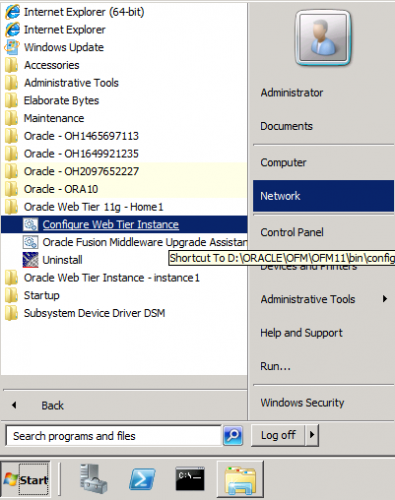
Perhaps you noticed on the last screenshot “Oracle – OH1465697113”, I’m not sure if this is part of Oracle standard “engineering” effort, or simply a bug. In either case the crap like this should not be there – I hope Oracle will fix this.
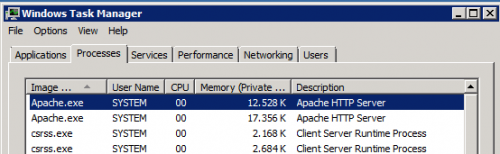
After you configured and started OHS instance, you can check with Task Manager that apache.exe is indeed running as 64-bit application:
Since Oracle HTTP server is badly needed by one of our application and migrating to 64-bit Oracle HTTP server was only a question of time, I guess I’ll have to accept the fact that this “engineering bloatware” from Oracle is now (sadly) part of our infrastructure. Sometimes I wonder if Oracle programmers are perhaps paid by gigabytes that they produce!?

 dbaportal.eu
You must be logged in to post a comment.