Category Archives: Oracle
All those yellow sticky notes about Oracle will usually end under this category.
Installing OracleXE 11.2 beta on OEL 6.1
[root@OEL6 Downloads]# uname -r
2.6.32-100.34.1.el6uek.x86_64
After I downloaded and unzipped OracleXE 11.2 Beta, I run:
[root@OEL6 Downloads]# rpm -Uvh oracle-xe-11.2.0-0.5.x86_64.rpm
Preparing...                ########################################### [100%]
error: "net.bridge.bridge-nf-call-ip6tables" is an unknown key
error: "net.bridge.bridge-nf-call-iptables" is an unknown key
error: "net.bridge.bridge-nf-call-arptables" is an unknown key
error: %pre(oracle-xe-11.2.0-0.5.x86_64) scriptlet failed, exit status 255
error:   install: %pre scriptlet failed (2), skipping oracle-xe-11.2.0-0.5
Google helped me find a simple workaround, if you run the same command again it’ll install OracleXE without error:
[root@OEL6 Downloads]# rpm -Uvh oracle-xe-11.2.0-0.5.x86_64.rpm
Preparing...                ########################################### [100%]
   1:oracle-xe              ########################################### [100%]
Executing post-install steps...
You must run '/etc/init.d/oracle-xe configure' as the root user to configure the database.
Oracle HTTP Server 11g
While preparing a “reference” Oracle server for my client I decided that I would try to replace Oracle HTTP Server that was once shipped on “Oracle10g Companion Disk”, with Oracle HTTP version 11g (for Windows x64).
In the expected spirit of “viva la bloatware”, I submitted to the said fact that Oracle HTTP server 10g with “mere” 435MB in Oracle Home, will now take 1.9GB. Oracle never fails to disappoint me with their “engineering” abilities.
Make a little experiment: compare 1.14 GB installation “media” from Oracle with mere 6.2 MB MSI installer from Apache website and try not to cry at the same time. And please don’t give me standard BS: “you’re comparing apples to oranges”….no, no, no, I’m actually comparing apples to melons ;-). Enough said, back to technicalities….
Steps that I followed installing OracleHTTP 11.1.1.2.0 on Windows Server 2008 R2-SP1:
1) downloaded Oracle Fusion Middleware Web Tier Utilities 11g (11.1.1.2.0) for Microsoft Windows (x64) from OTN
At the time of this writing the description of “OFM Web Tier Utilities” looks like this:

2) Unzip archive in some temporary directory and start installer from Disk1
3) Installation is as usual guided by OUI:
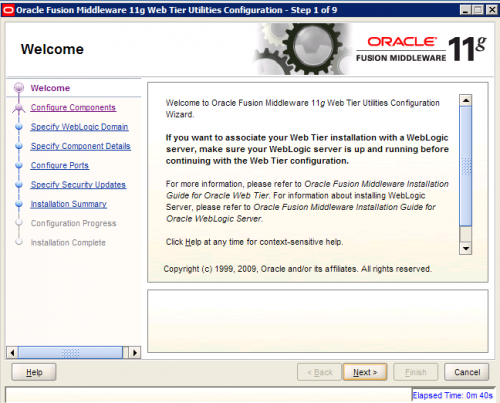
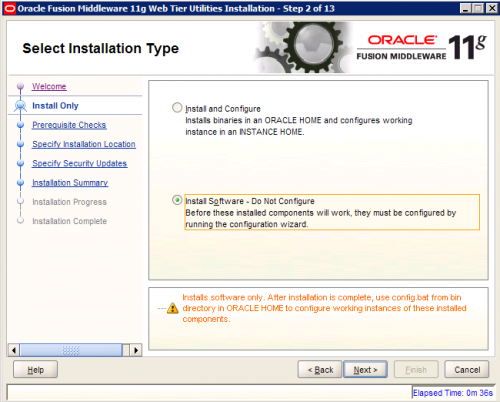
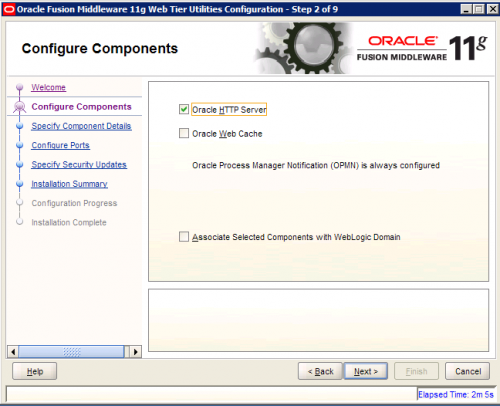
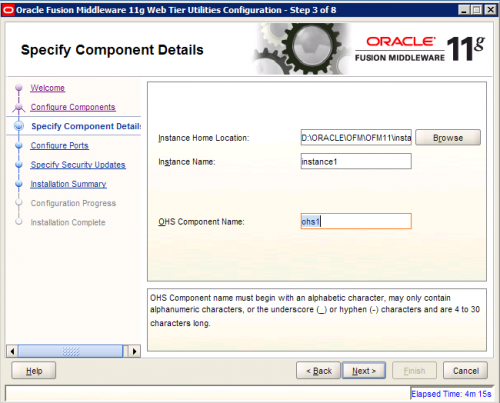
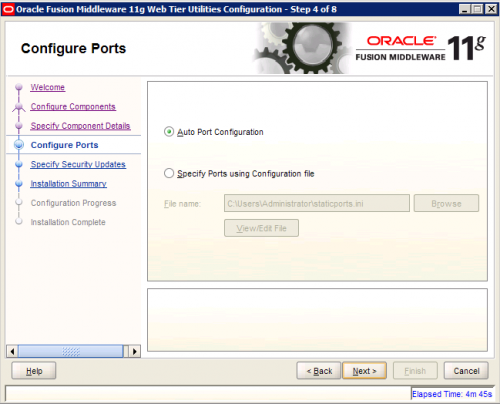
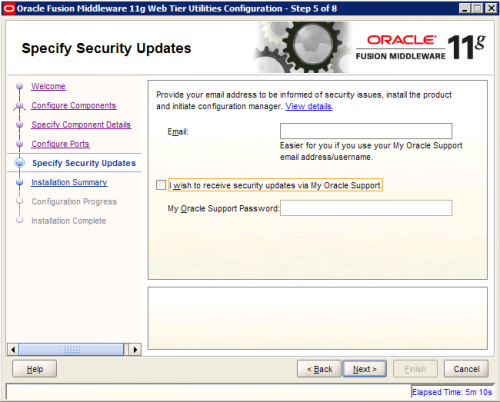
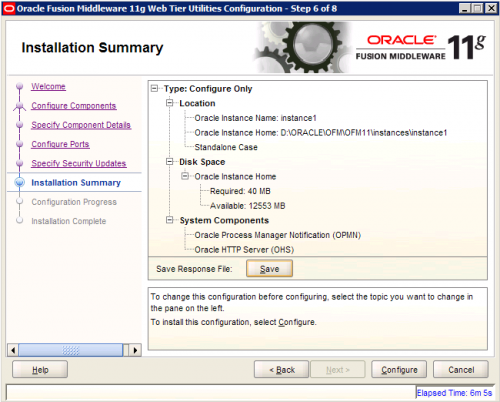
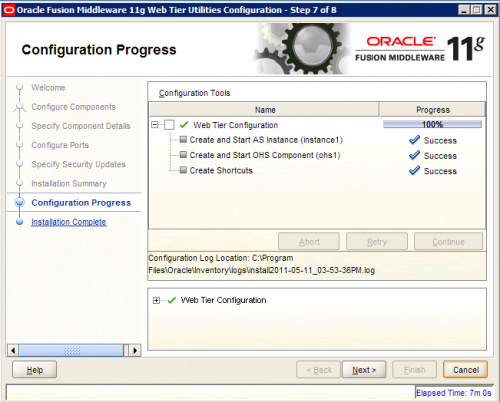
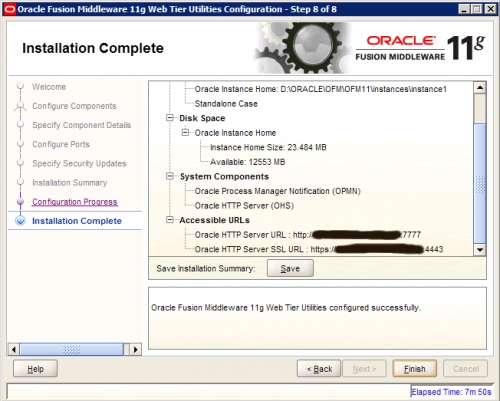
4) Configuration Web Tier Instance
At any time you can configure another Web Tier Instance by following instructions in OUI, you’ll find the shortcut in Oracle Web Tier 11g – Home1 :
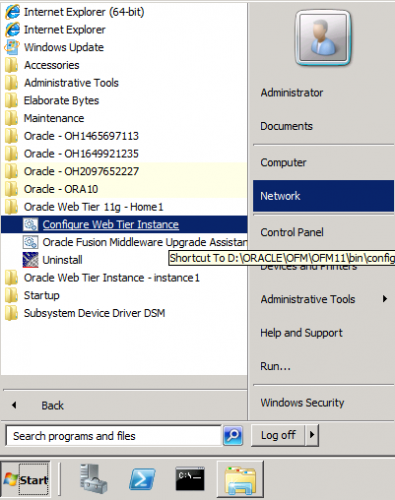
Perhaps you noticed on the last screenshot “Oracle – OH1465697113”, I’m not sure if this is part of Oracle standard “engineering” effort, or simply a bug. In either case the crap like this should not be there – I hope Oracle will fix this.
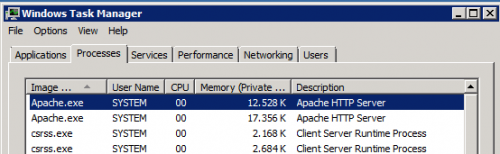
After you configured and started OHS instance, you can check with Task Manager that apache.exe is indeed running as 64-bit application:
Since Oracle HTTP server is badly needed by one of our application and migrating to 64-bit Oracle HTTP server was only a question of time, I guess I’ll have to accept the fact that this “engineering bloatware” from Oracle is now (sadly) part of our infrastructure. Sometimes I wonder if Oracle programmers are perhaps paid by gigabytes that they produce!?
Windows bundle patch – regression tested from 10.2.0.4 onwards
I just finished reading “preamble” from MOS note “161549.1 1Oracle Database Server and Networking Patches for Microsoft Platform”, specifically:
Quote:
Patch sets increment the 4th digit of the version number e.g. 10.2.0.1.0 to 10.2.0.4.0, these patch sets are fully regression tested in the same way that the base release is (i.e. 10.2.0.1.0). Customers are encouraged to apply these fixes.
and further…
Quote:
From 10.2.0.4 onwards each Windows bundled patch goes through full regression testing because it includes a large number of dependent fixes, CPU, DST and PSU. Oracle recommends all customers apply the latest bundle as soon as it is convenient irrespective of encountering a specific problem resolved by the bundle.
…which I found reassuring and amusing at the same time.
ORA-600 [KCBLASM_1], [103] on Patchset 10.2.0.5
During routine alert.log check control I spotted several ORA-600 errors:
ORA-00600: internal error code, arguments: [kcblasm_1], [103]
It is a known issue introduced with 10.2.0.5. This platform generic bug (7612454) is a regression bug introduced in Patchset 10.2.0.5 according to MOS note:
Bug 7612454 – More “direct path read” operations / OERI:kcblasm_1 [ID 7612454.8]
Obviously, bug 7612454 causes performance problem with direct path reads, compared to performance from before (10.2.0.5). [Right now, I can’t confirm how severe performance impact is, because no one so far reported a performance problem or any crashes.]
Since no workaround was mentioned in above MOS note I searched further and found related note that highlights the problem a bit more:
ORA-600 [KCBLASM_1] RUNNING A QUERY WITH HASH GROUP BY [ID 848094.1]
At the time of this writing I’ll probably disable group by hash aggregation at instance level (_gby_hash_aggregation_enabled = false), if the problem becomes severe. So far, this bug is more of an annoyance than a show stopper – but I feel better being prepared with a workaround. I hope we’ll not hit the case when neither setting _gby_hash_aggregation_enabled = false nor _hash_join_enabled=false helped as a workaround, as described in MOS note Bug 9918715: ORA-00600 [KCBLASM_1] ERROR.
The second suggested workaround, upgrade to 11.2, is (of course) out of the question at this time. Besides, who can guarantee us that we will not hit some XY regression bug in 11.2 the day after we go in production with 11.2! ;-)
What to say for the end, 10gR2 deserves to stay written in my black book with golden letters as being the buggiest version ever released by Oracle. Someone can argue that bugs goes hand in hand with features, software business as usual; I had to say, with every new grey hair I have less and less tolerance to excuses like this.
OracleXE 11g will raise DB limit to 10GB
I expected OracleXE 11g announcement at OOW 2010. It didn’t happen. Naturally, I start questioning if OracleXE is perhaps a dead end. Hopefully not, according to this good news. I think XE 11g will be released in the first half of 2011. Another good news, according to the same source, is that Oracle will raise DB size limit from 4GB to 10GB. Perhaps 10GB is not much in your part of the World, but I live and work in a small country where almost every official register (Business Register, Register of Territorial Units, Tax register, Population Census etc.) can individually be stored in database with 10GB limit. That doesn’t mean XE should be used casually as a production database for such tiny databases (registers). On the other hand, public sector should strive to save the money when it can — in most cases XE is perfectly suited to support dissemination of such data to public and/or for exchange in data hubs between register owners.

 dbaportal.eu
You must be logged in to post a comment.